Insert SIM Card
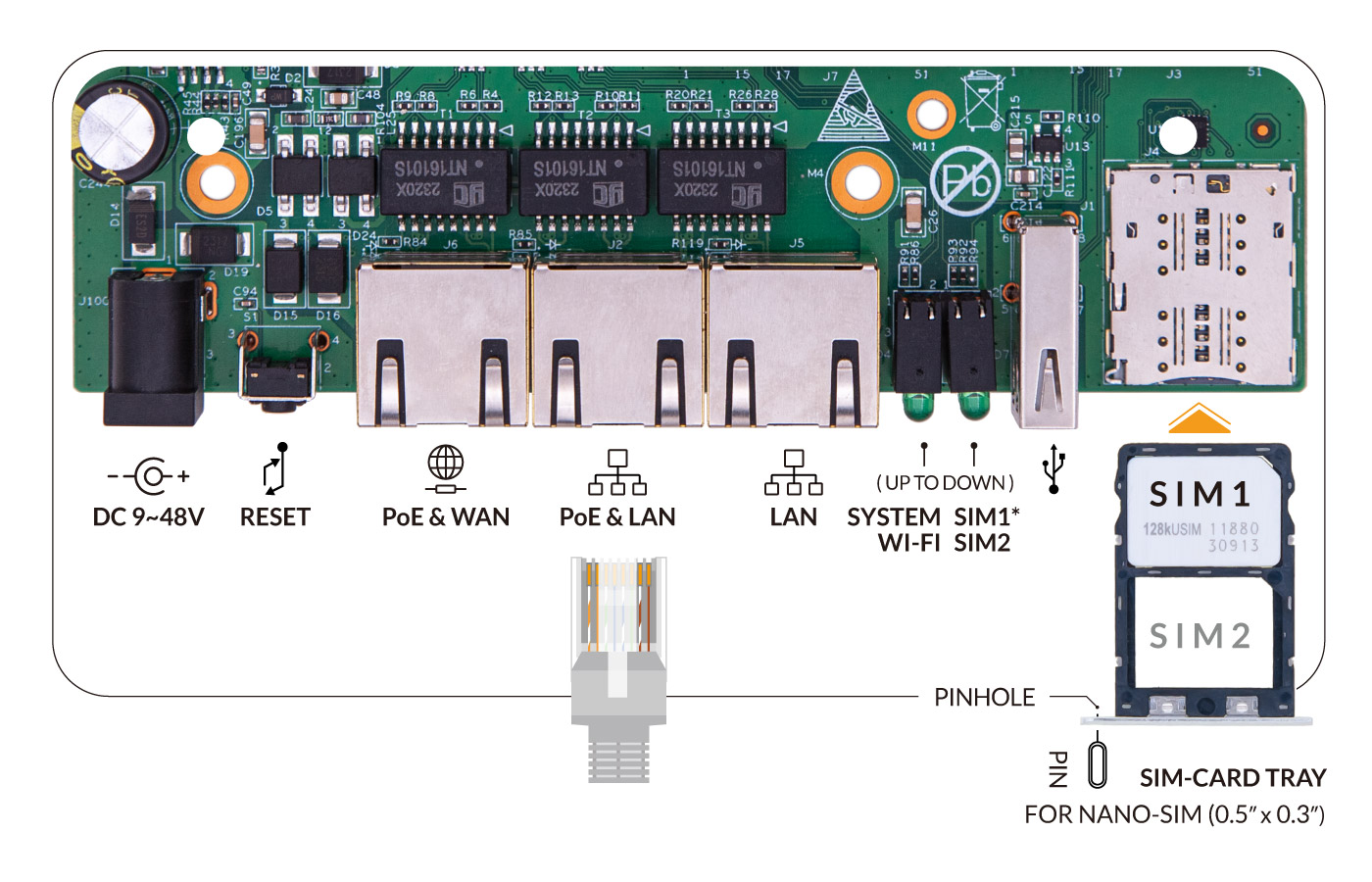
The outdoor 4G router requires insert at least one SIM card to connect to the mobile internet networks. The SIM card is not included with the router.
Use a Nano SIM card (12.3x8.8mm) on the 4G router. If it’s a new SIM card, please follow the instructions from the mobile carrier to activate the SIM card.

Step by Step
Section titled “Step by Step”- Use the SIM pin to push the pinhole gently until the SIM card holder pops out.
- Put the primary SIM card in the first slot. Make sure notch in the inside direction and pins face down. There is only one way to settle the Nano SIM card into the SIM cardholder.
- Carefully reposition the SIM card holder in the slot and push it back gently.